How to claim your business on nearif

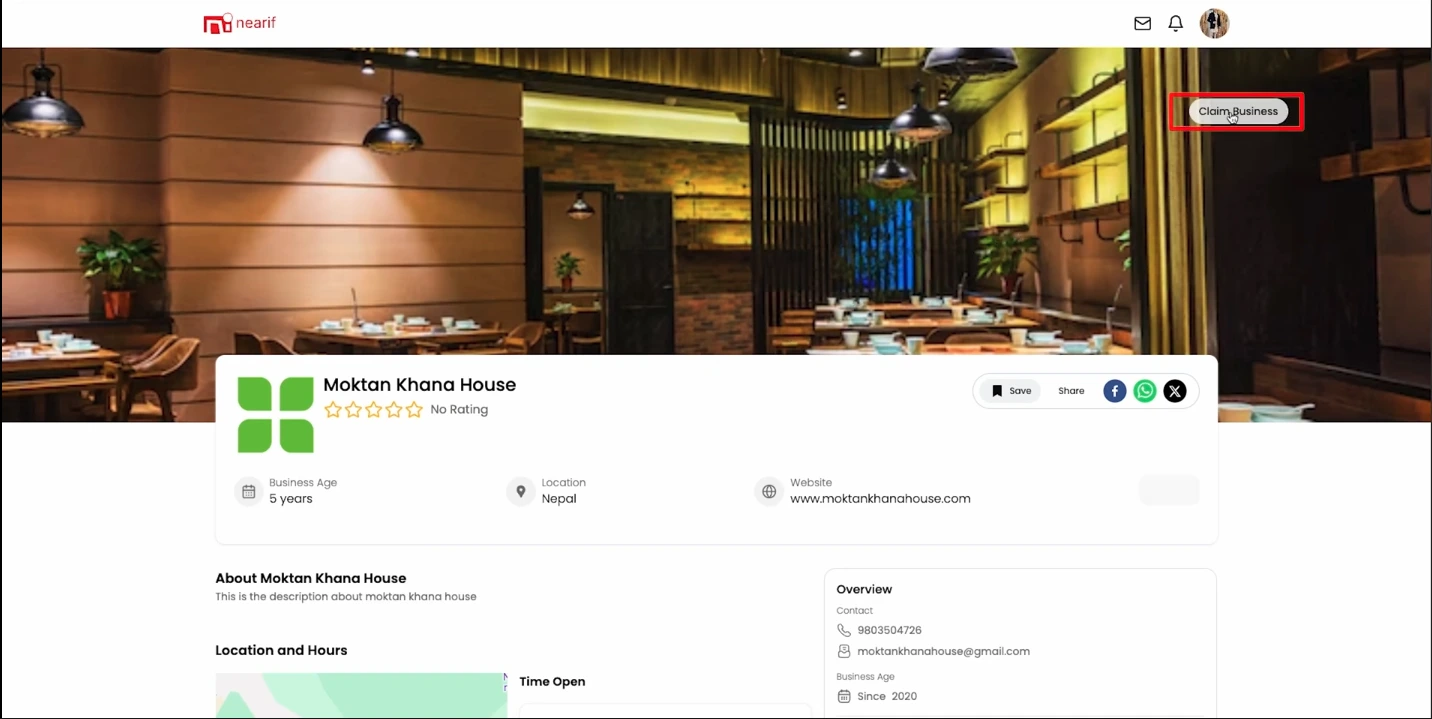
Open your listing and tap Claim Business
Search your business on Nearif and open its profile page. If you see the Claim Business button, click it to start verification.
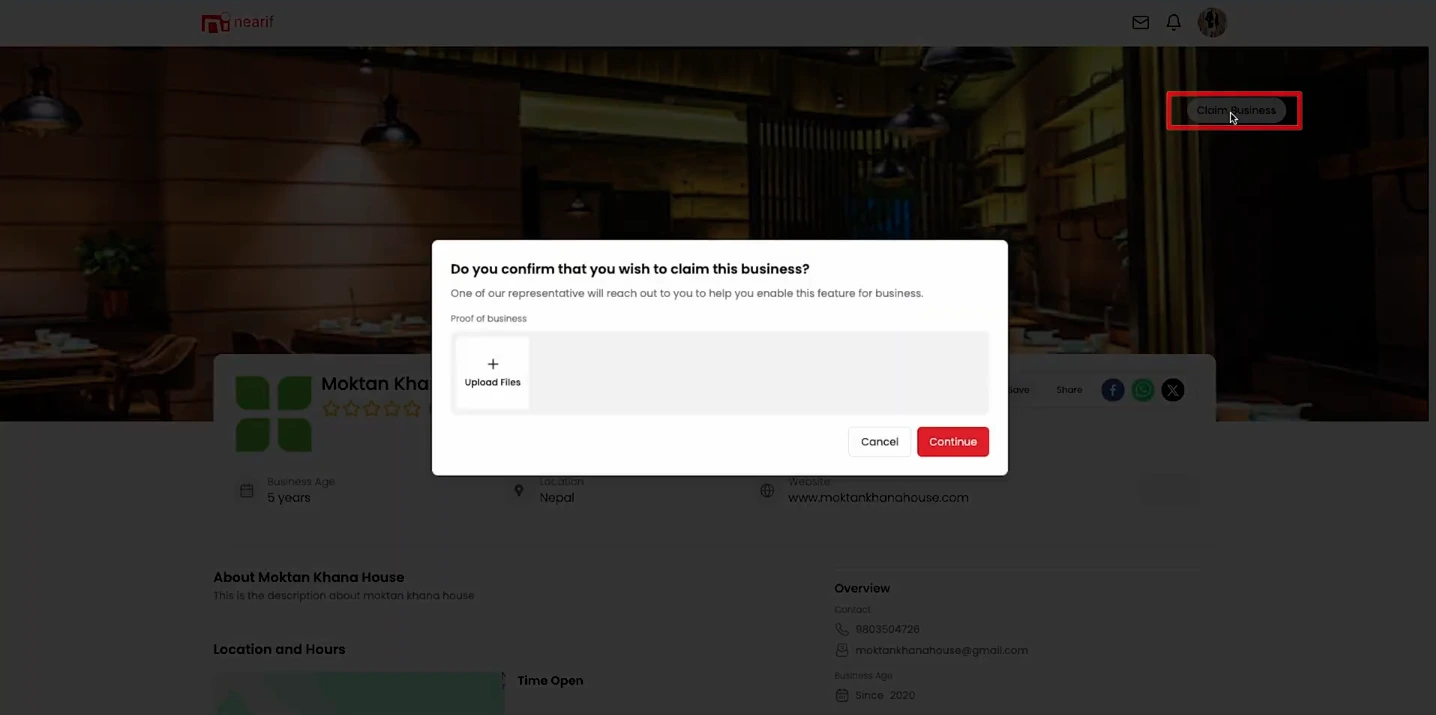
Upload proof of ownership
Click Upload Files and attach clear copies of one or more of the following: PAN card, business registration certificate, or ownership/authorization letter.
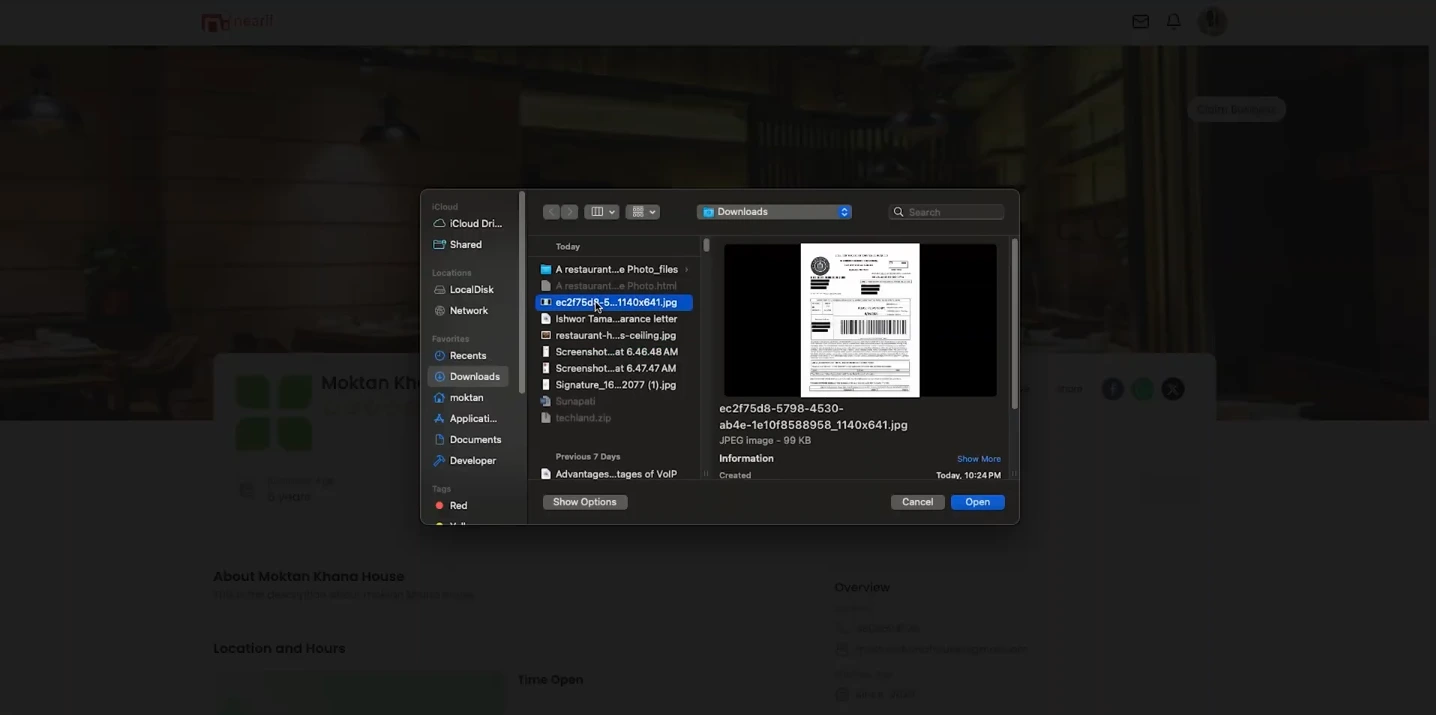
Helpful tips
- Names and addresses on documents should match the Nearif listing.
- Use unobstructed, readable scans or photos (no glare or blur).
- Don’t see your business? Add a new listing first, then claim.
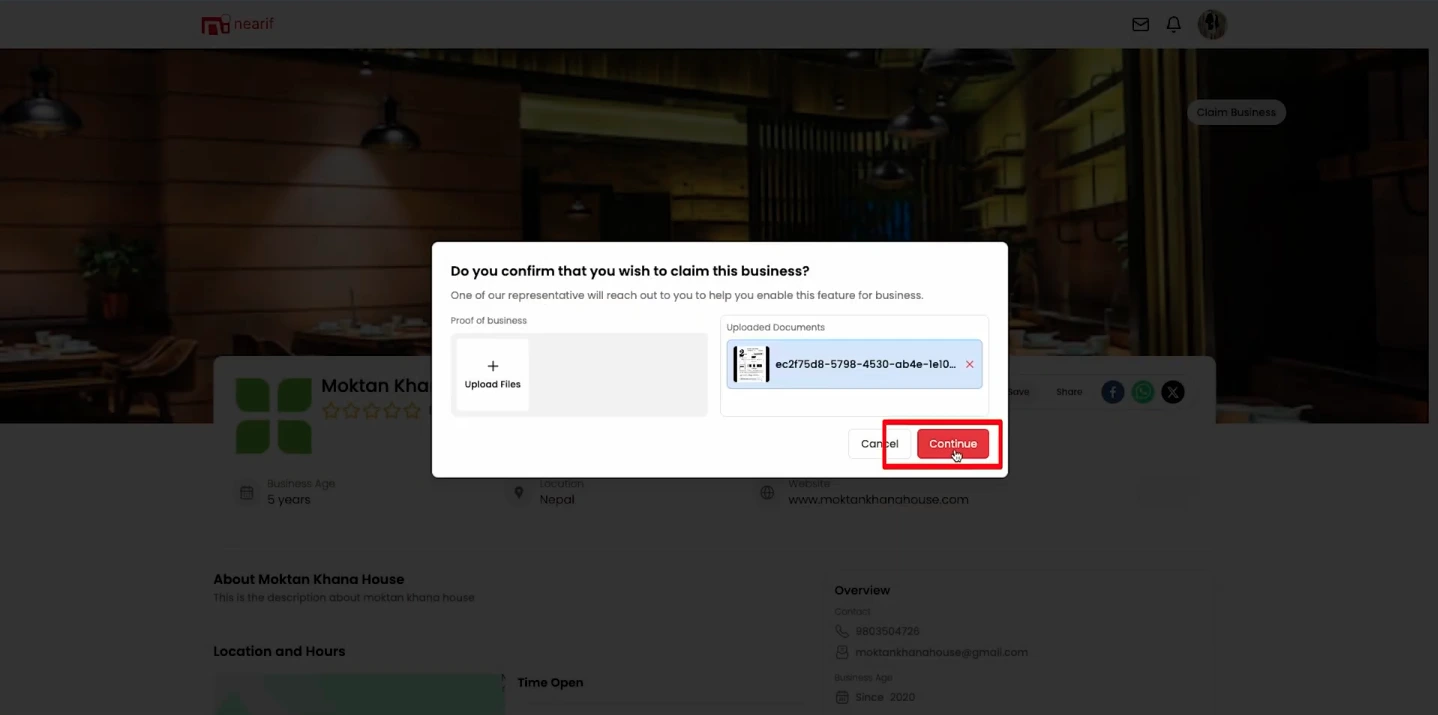
Submit for review
Click Continue to send your request. The Nearif team will review your documents and assign ownership if everything checks out. You’ll receive an email notification once it’s done.
After approval
- Access your dashboard to edit hours, contacts, categories, and photos.
- Respond to reviews and keep your information up to date.
You could watch this video tutorial on YouTube
Found this useful? Pass it on
More inNearif Guides