How to verify your business on nearif : A Step-by-Step Guide
Steps to complete the verification process, update your business information, and make the most of Nearify’s platform to attract more customers and strengthen your brand presence.
Why this guide? Verification helps unlock trusted features for your company on Nearif. Follow the steps below to complete verification quickly and securely.
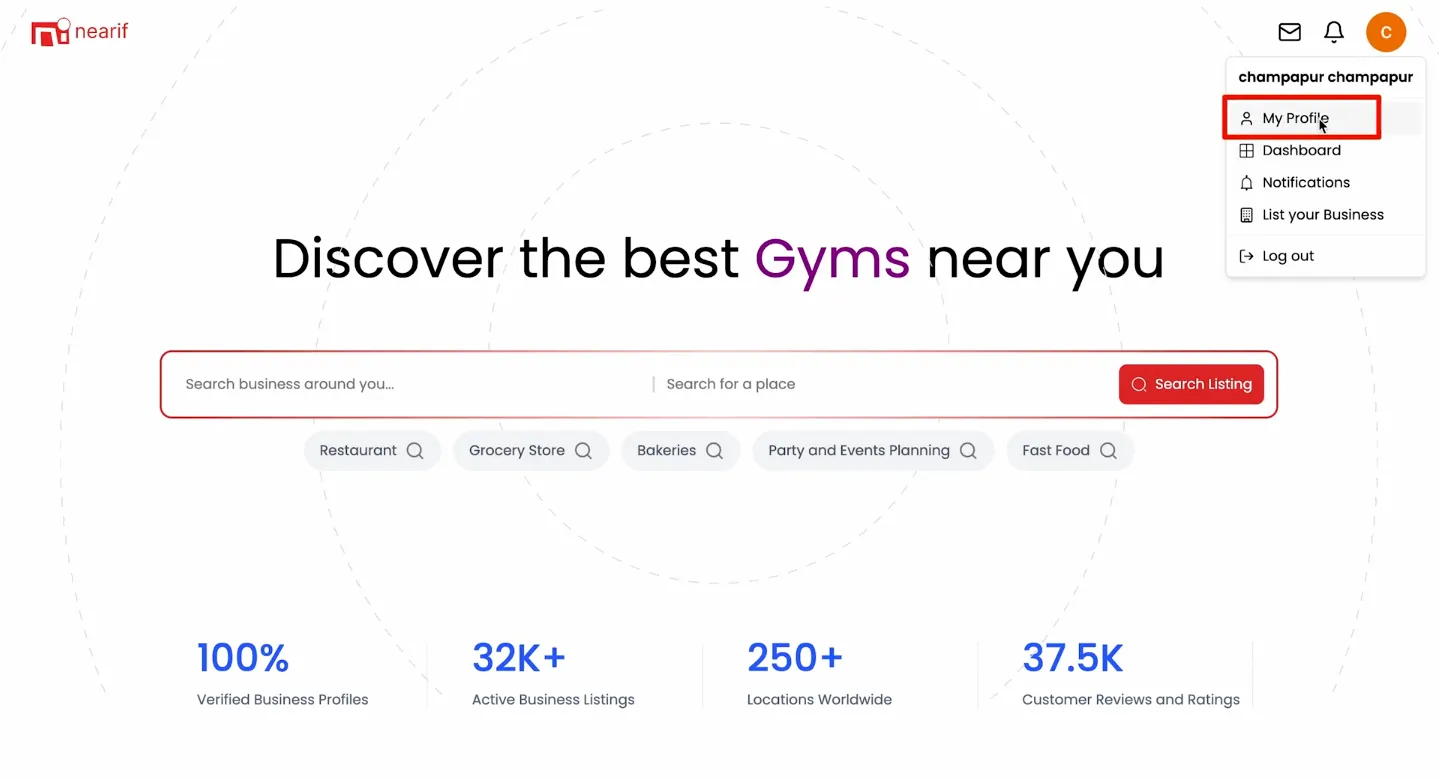
Go to My Profile
From the Nearif homepage, click your avatar and choose My Profile.
Profile entry point on Nearif.
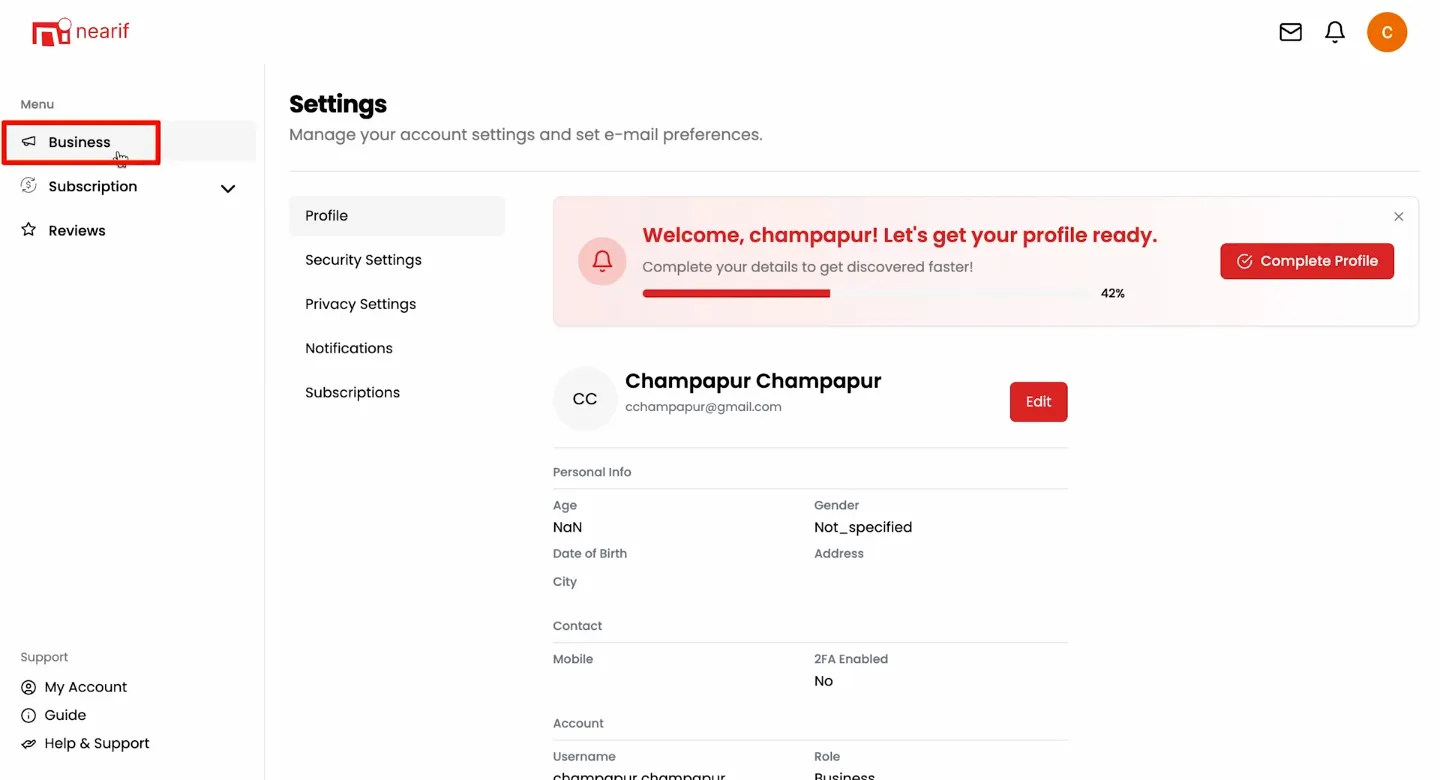
Open the Business tab
Inside your profile, switch to the Business section.
Open the Business tab.
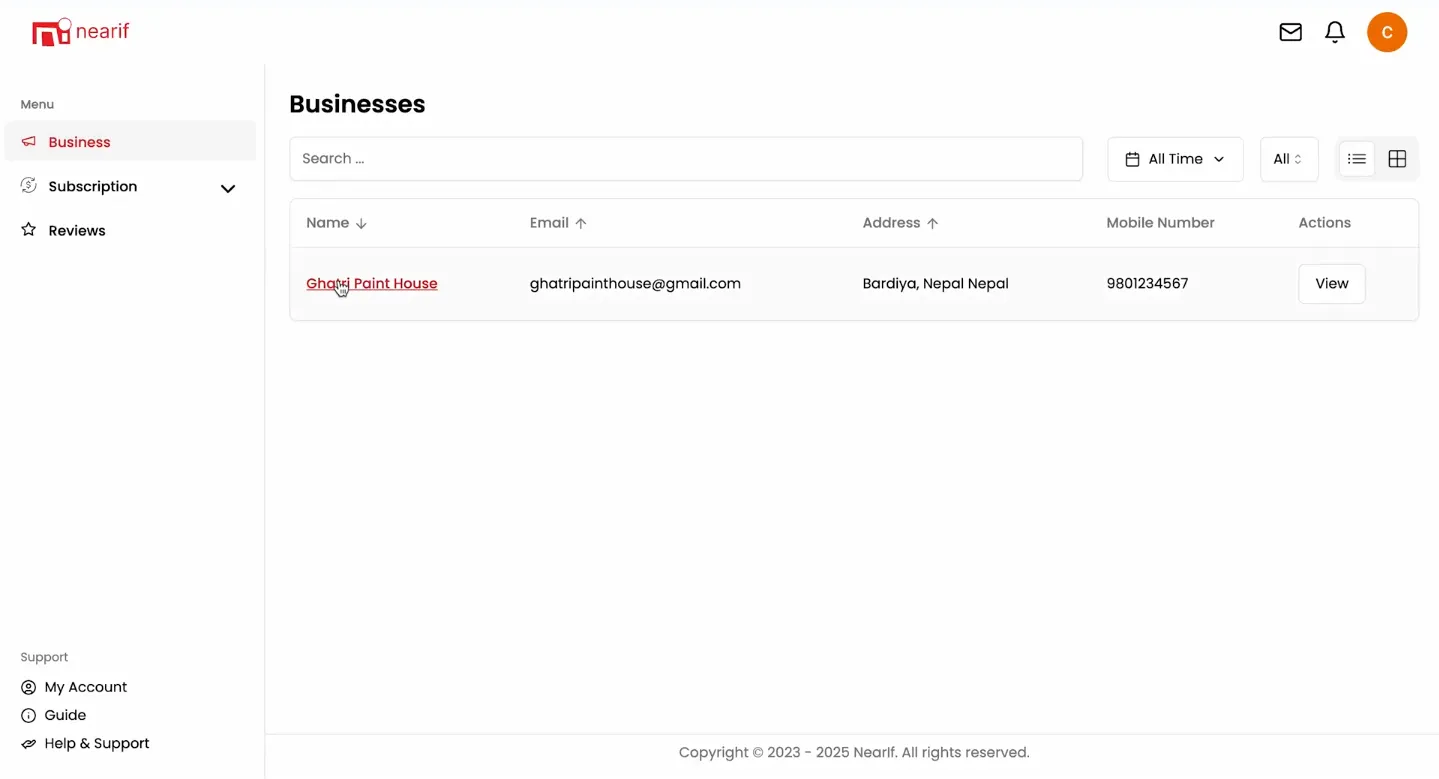
Select the business to verify
Choose the specific business entity you want to verify.
Select your business.
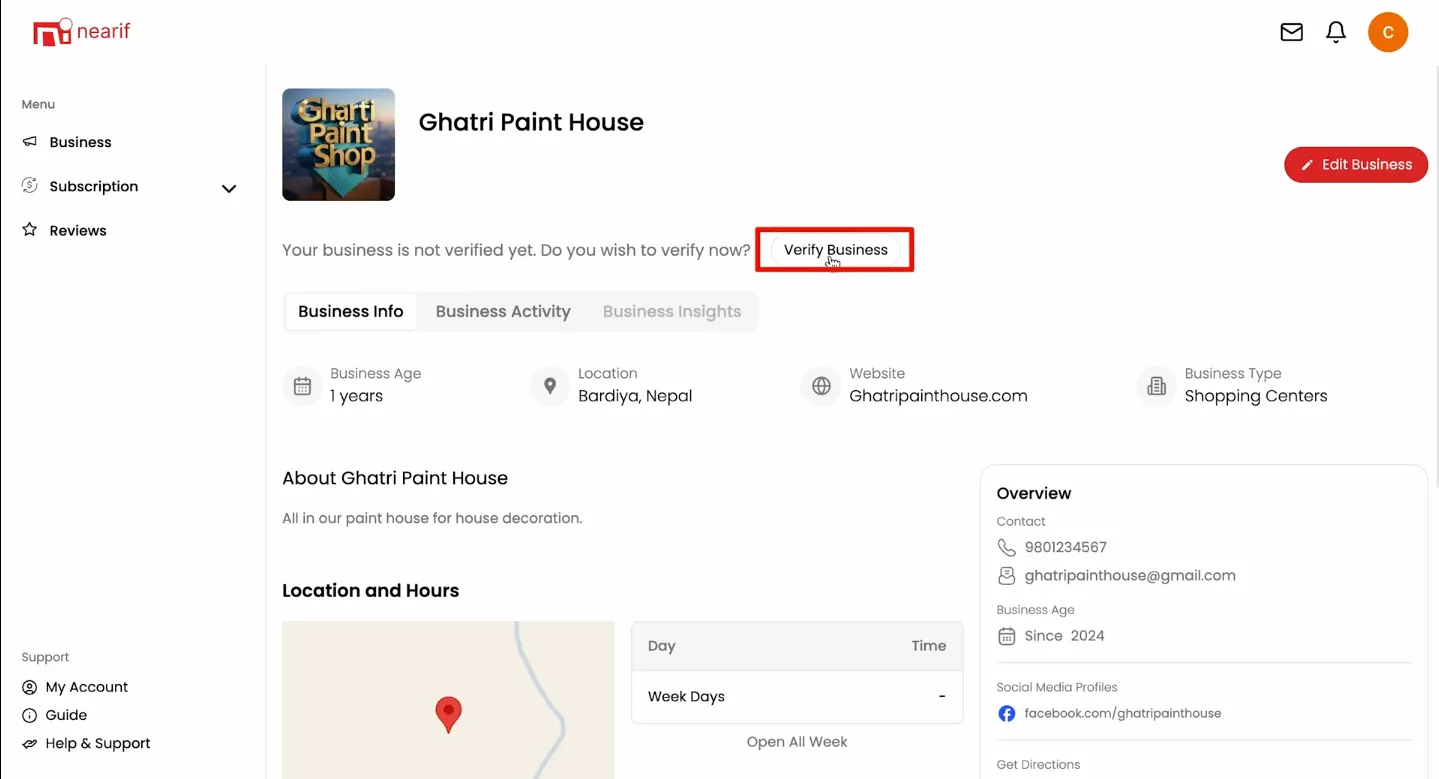
Click Verify Business
Press the Verify Business button to proceed to billing.
Verification call‑to‑action.
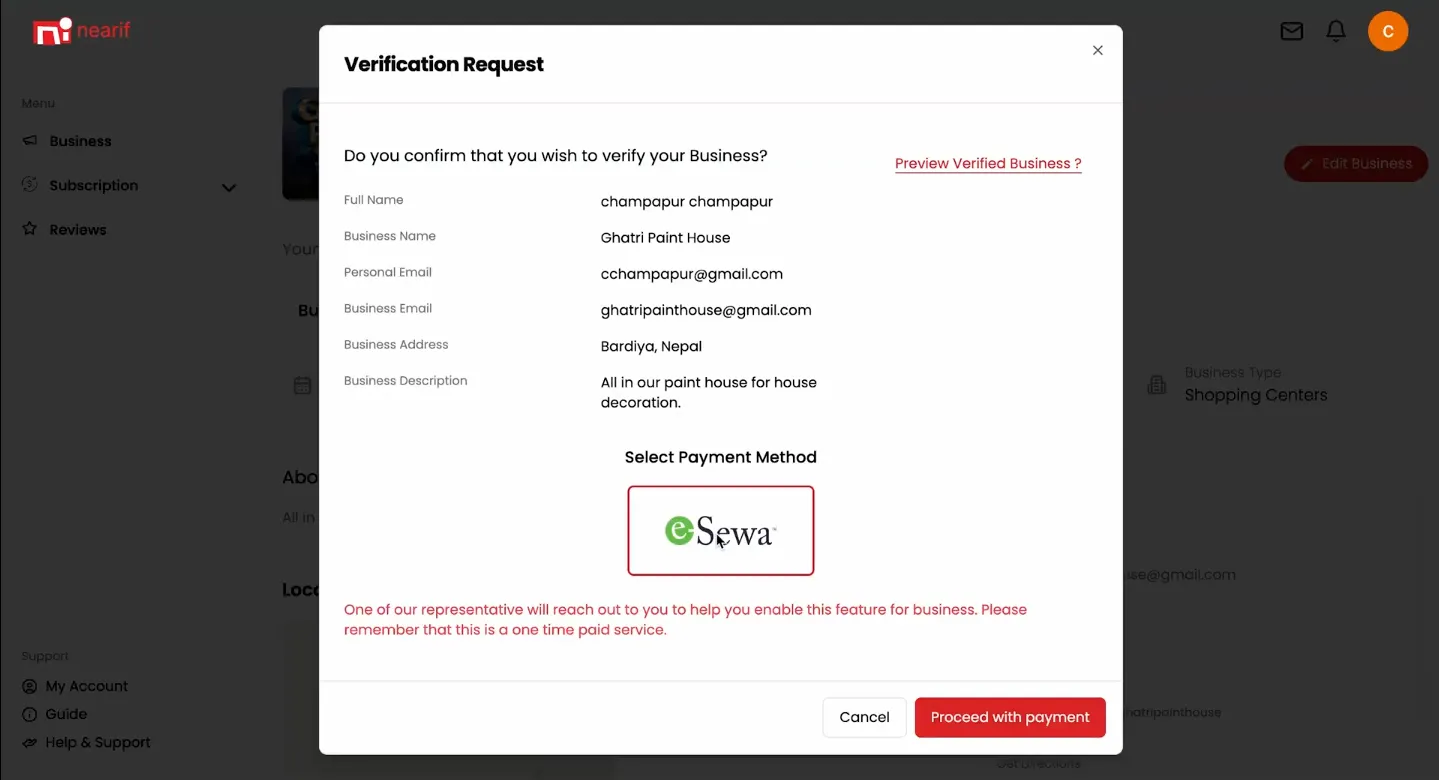
Choose a payment gateway
Pick your preferred payment gateway, then continue.
Choose the payment method.
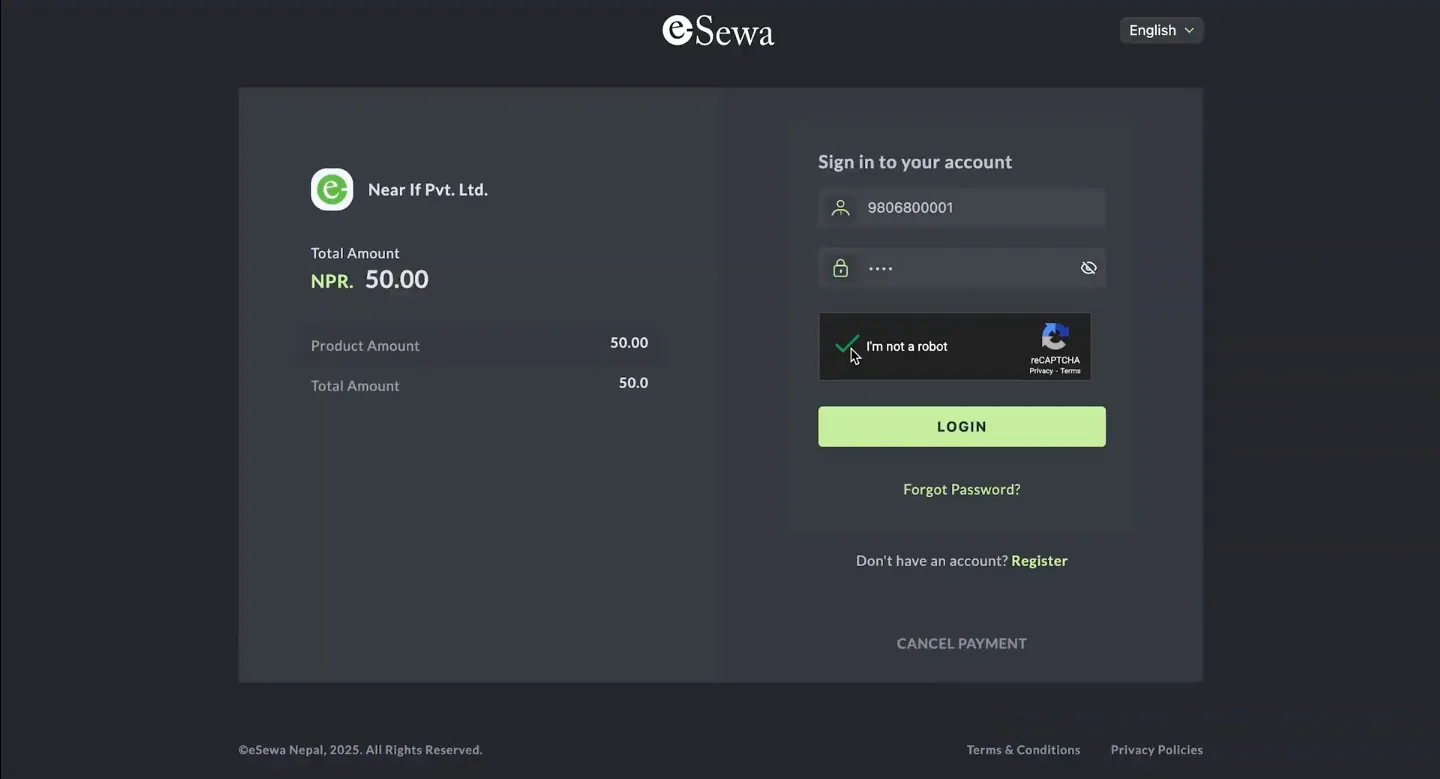
Complete the payment
Finish the secure payment flow to submit your verification request.
Complete the payment flow.
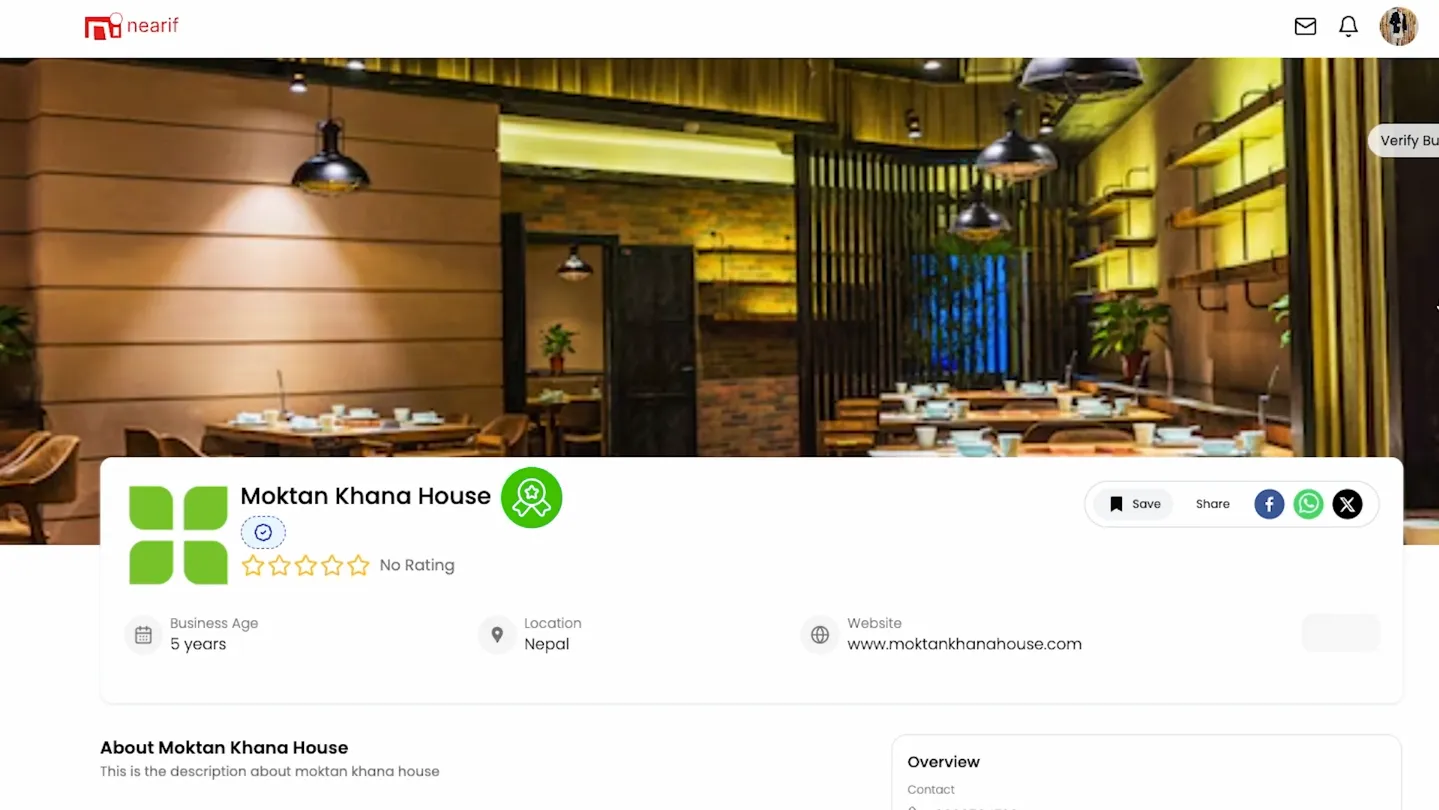
Success: Your business is verified on Nearif.
Confirmation screen after successful verification.
Benefits of Business Verification
Trust & credibility: A verified badge signals authenticity to customers.
Higher conversion: Users are more likely to engage with verified profiles.
Access to features: Unlock future Nearif tools and promotions.
Priority support: Faster help for verified businesses.
Struggling with high turnover or ghosting applicants? Discover actionable strategies to attract top local talent, streamline hiring, and retain your best team members in 2027.
Struggling with high turnover or ghosting applicants? Discover actionable strategies to attract top local talent, streamline hiring, and retain your best team members in 2027.
In this guide, you'll learn how local business partnerships work, which types deliver the best results, and a simple step-by-step plan to start collaborating this month.