How to update your business details on nearif : Step by Step guide

Go to Your Nearif Profile
Open Nearif and sign in. From the top‑right corner, click your profile icon to open your profile page.
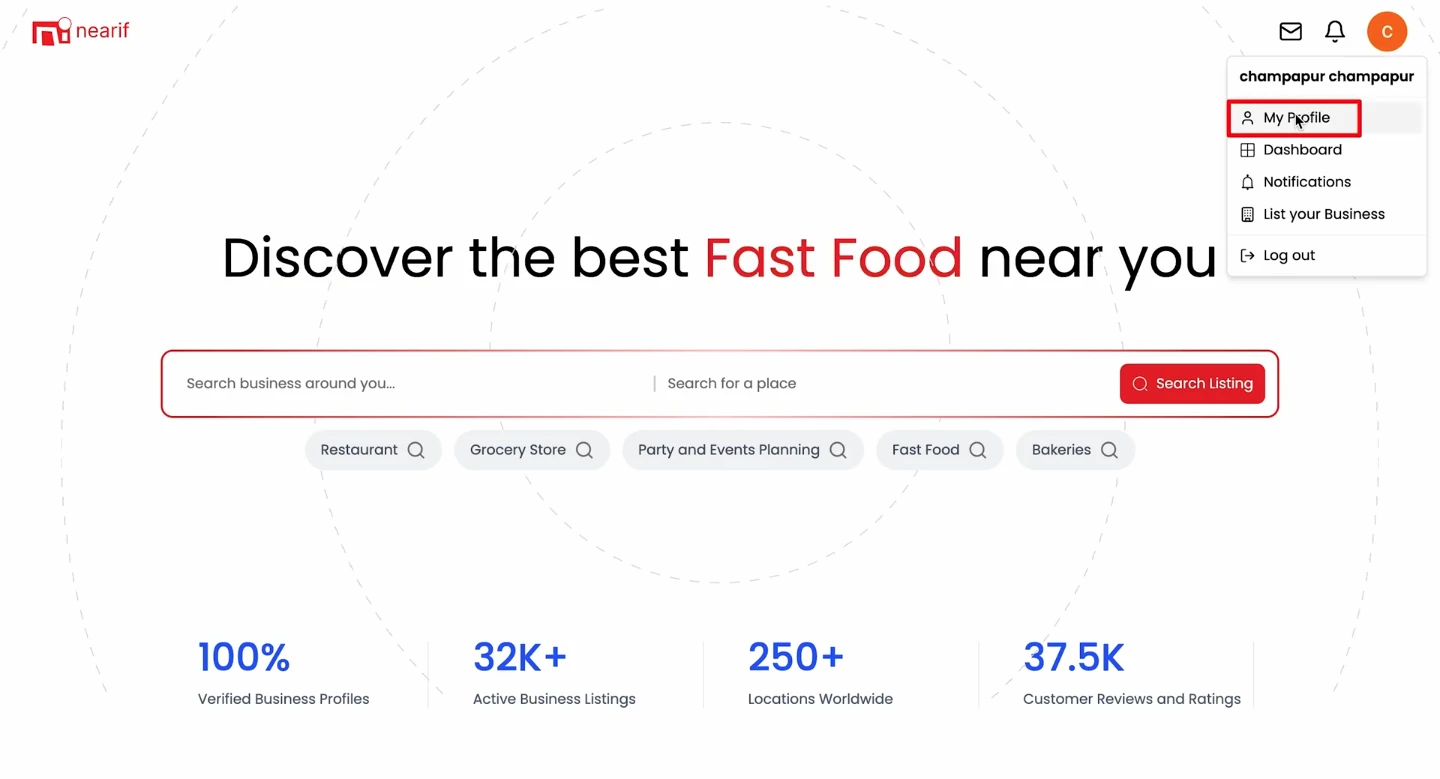
Tip: Use the account that owns or manages your business listing.
Go to “My Business”
From your profile page, open My Business to see all businesses you manage on Nearif.
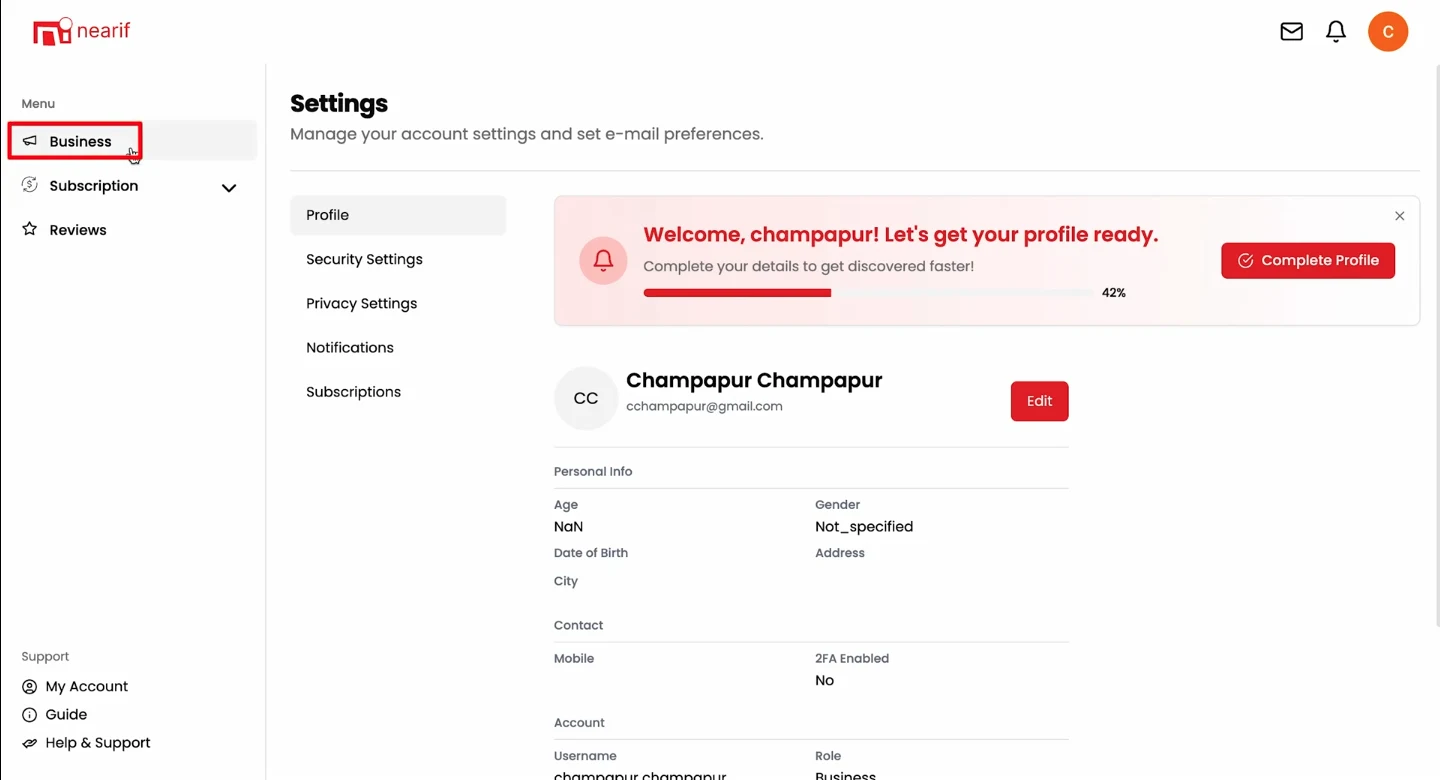
Tip: If a listing is missing, verify you’re on the correct account or ask the owner to add you as a manager.
Select the Business to Update
Click the business you want to edit. This opens the listing’s details page.
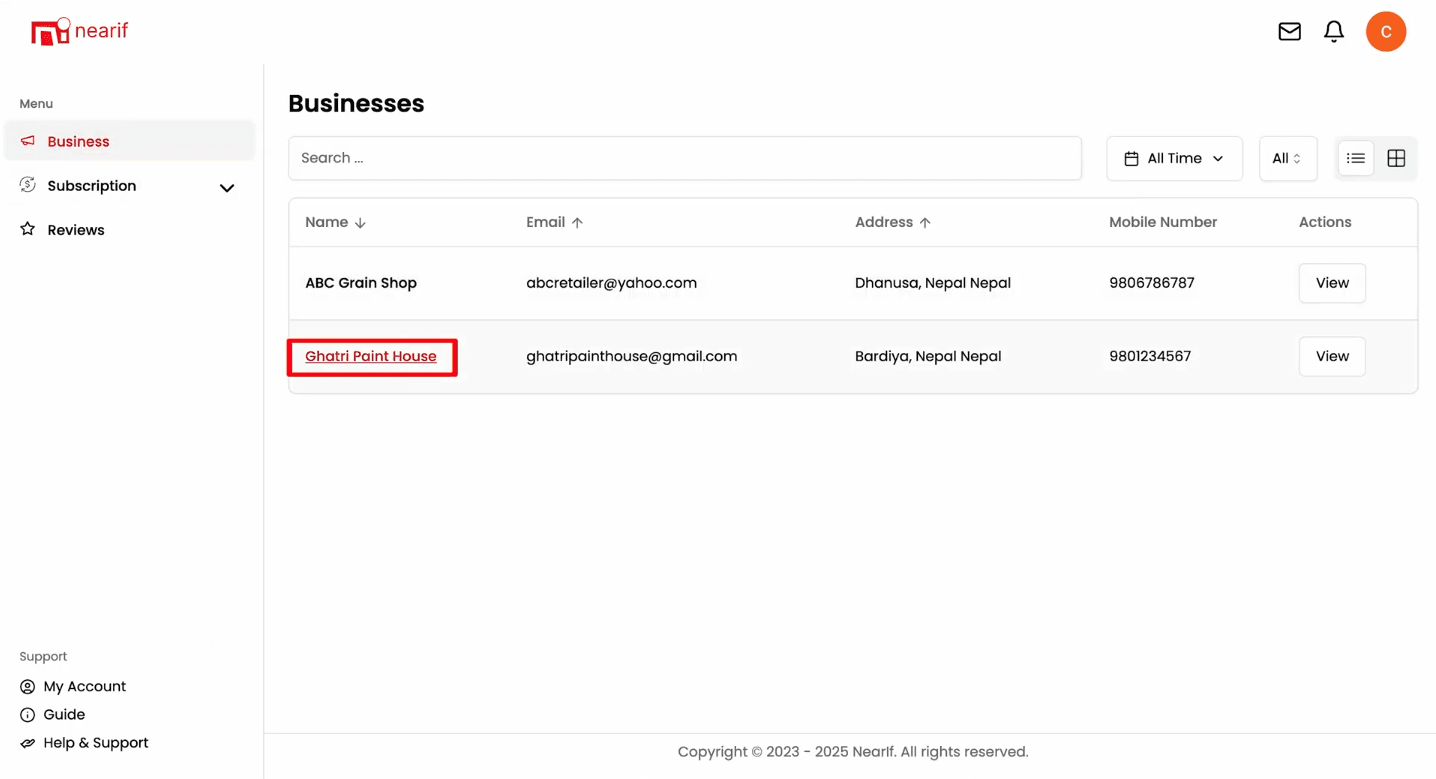
- Double‑check the name before proceeding.
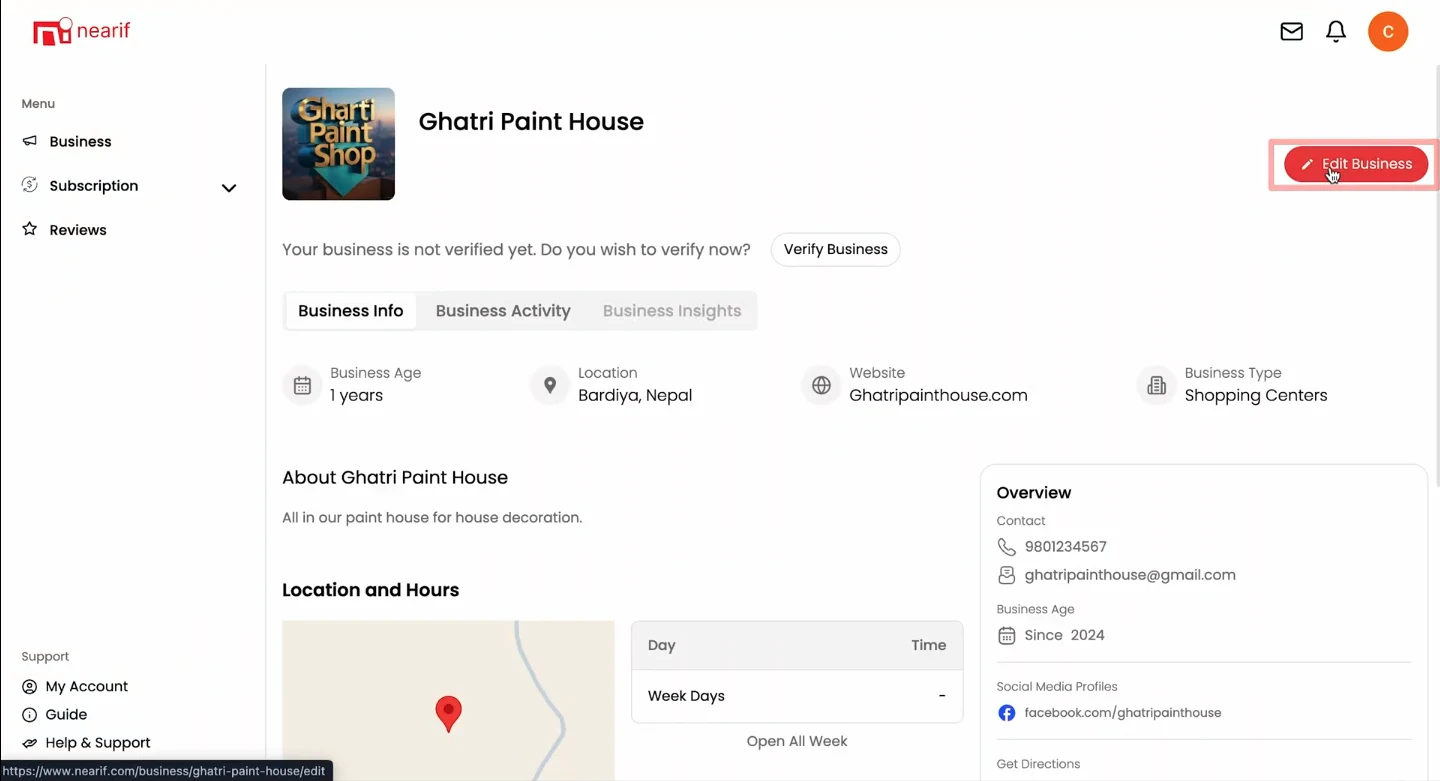
Click “Edit Business”
On the listing page, click Edit Business to enter edit mode.
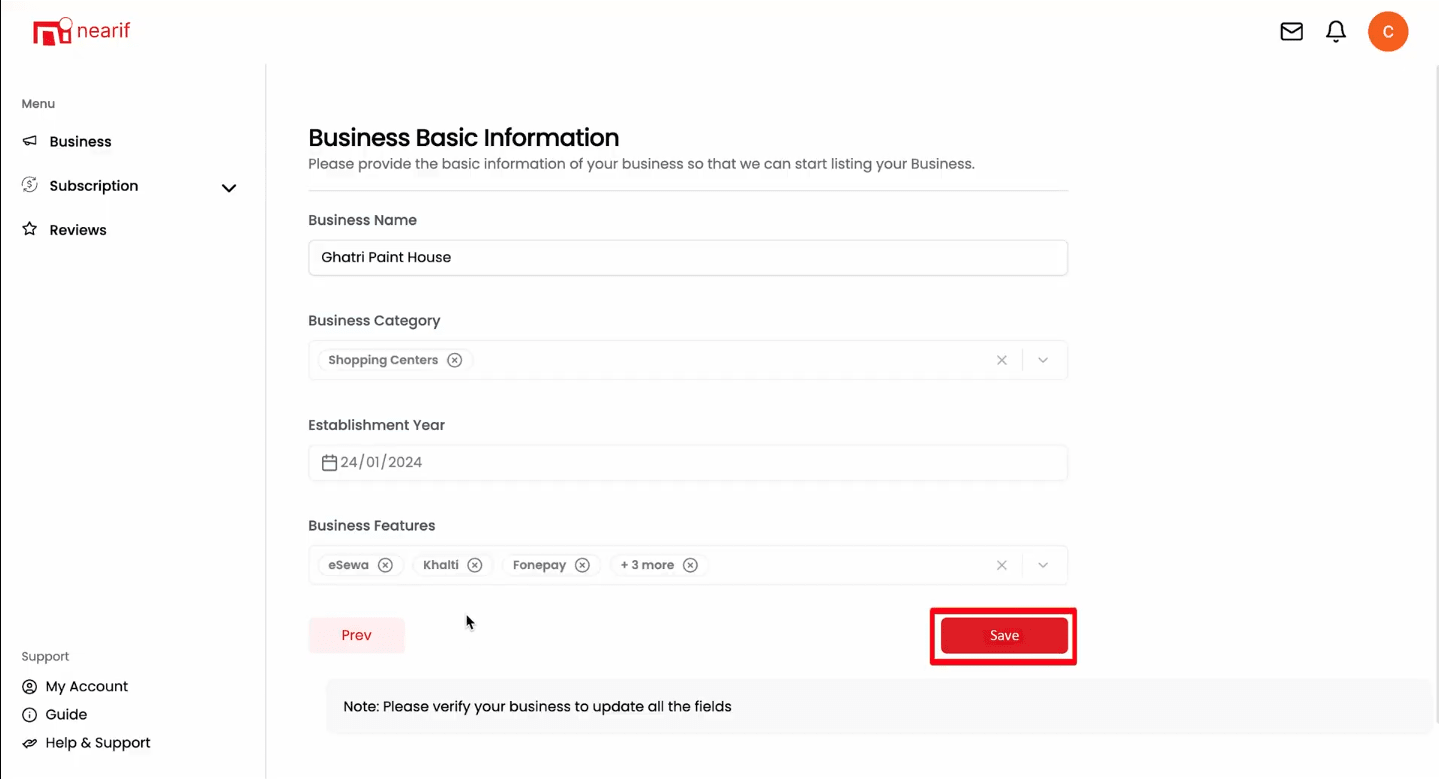
Heads‑up: You must be the owner or an authorized manager to edit.
Update Details and Save
Change the fields you need — name, address, contact details, categories, description, and photos. When you’re done, press Save.
Pro tip: Keep your hours, phone, and photos fresh — these have the biggest impact on customer trust.
✅ That’s it! Your changes are saved. It can take a few minutes for updates to appear publicly.
You could watch this video tutorial on YouTube
Found this useful? Pass it on
More inNearif Guides